This morning I’m having issues with the new unified Outlook on both the Web version and the app version. They are taking an unusually long time to load and I don’t see all my email. Sometimes sending emails seems to time out.

I had to revert back to the “classic” Outlook 365 view to access my emails successfully. Since I couldn’t get the app to open my only option was to change the registry.
If you need to do that.
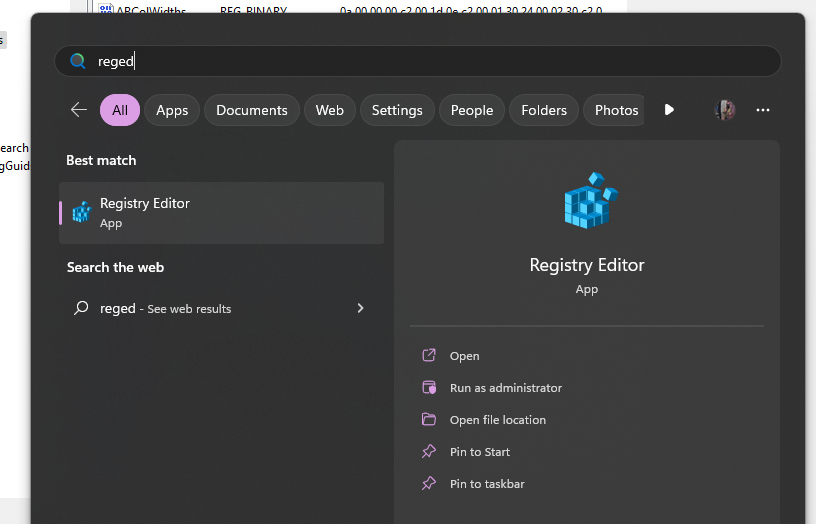
- Open registry editor
- Go to
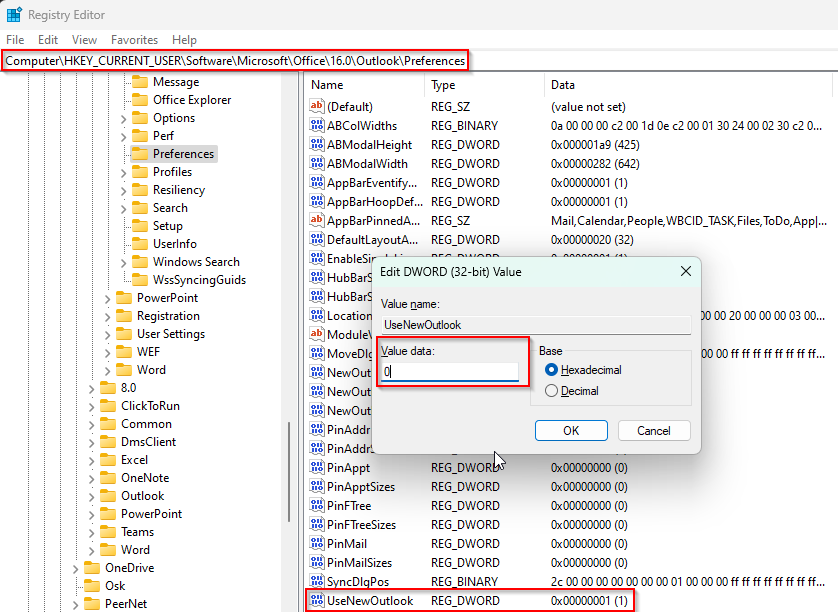
Computer\HKEY_CURRENT_USER\Software\Microsoft\Office\16.0\Outlook\Preferences - Double click UseNewOutlook to edit. Change the Value Data from 1 to 0.
- Relaunch Outlook
 ISASA
ISASA 
Leave a comment